Docker in Incus Instances
EZ Docker setup in debian instances
Short one today.
Docker does indeed have support for OCI, but I haven't yet figured out how to preserve local changes when updating the container. That will be next time.
For now, I've figured out how to setup docker in debian 12.11 (now tested with 13.1) instances.
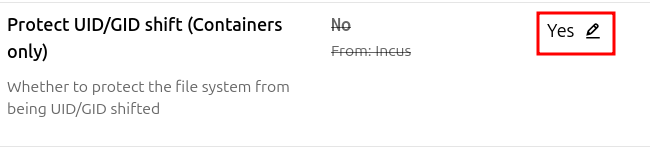
First, if you are bind mounting resources from the host, you may also want to take care of permissions with a UID/GID map, or disable UID/GID translation:
curl -sSL https://get.docker.com | shThat's it. Now test your docker environment:
# docker run hello-world

Hello from Docker!
This message shows that your installation appears to be working correctly.

To generate this message, Docker took the following steps:
 1. The Docker client contacted the Docker daemon.
 2. The Docker daemon pulled the "hello-world" image from the Docker Hub.
    (amd64)
 3. The Docker daemon created a new container from that image which runs the
    executable that produces the output you are currently reading.
 4. The Docker daemon streamed that output to the Docker client, which sent it
    to your terminal.

To try something more ambitious, you can run an Ubuntu container with:
 $ docker run -it ubuntu bash

Share images, automate workflows, and more with a free Docker ID:
 https://hub.docker.com/

For more examples and ideas, visit:
 https://docs.docker.com/get-started/
Do notice that this instance does not require the Privileged attribute to run Docker, and in fact won't be able to create OCI instances if Privileged is enabled. This is the opposite of the Proxmox LXC experience, where Privileged is required.